Osmogrep

Install Osmogrep

A fast Rust-powered terminal experience for runtime checks, repair loops, and production-focused reliability workflows inside your repo.

Install from crates.io

cargo install osmogrep

Install with Curl

curl -fsSL https://osmogrep.com/install.sh | sh

Build from Source

git clone https://github.com/kaushal07wick/OsmoGrep.git && cd OsmoGrep && cargo install --path .
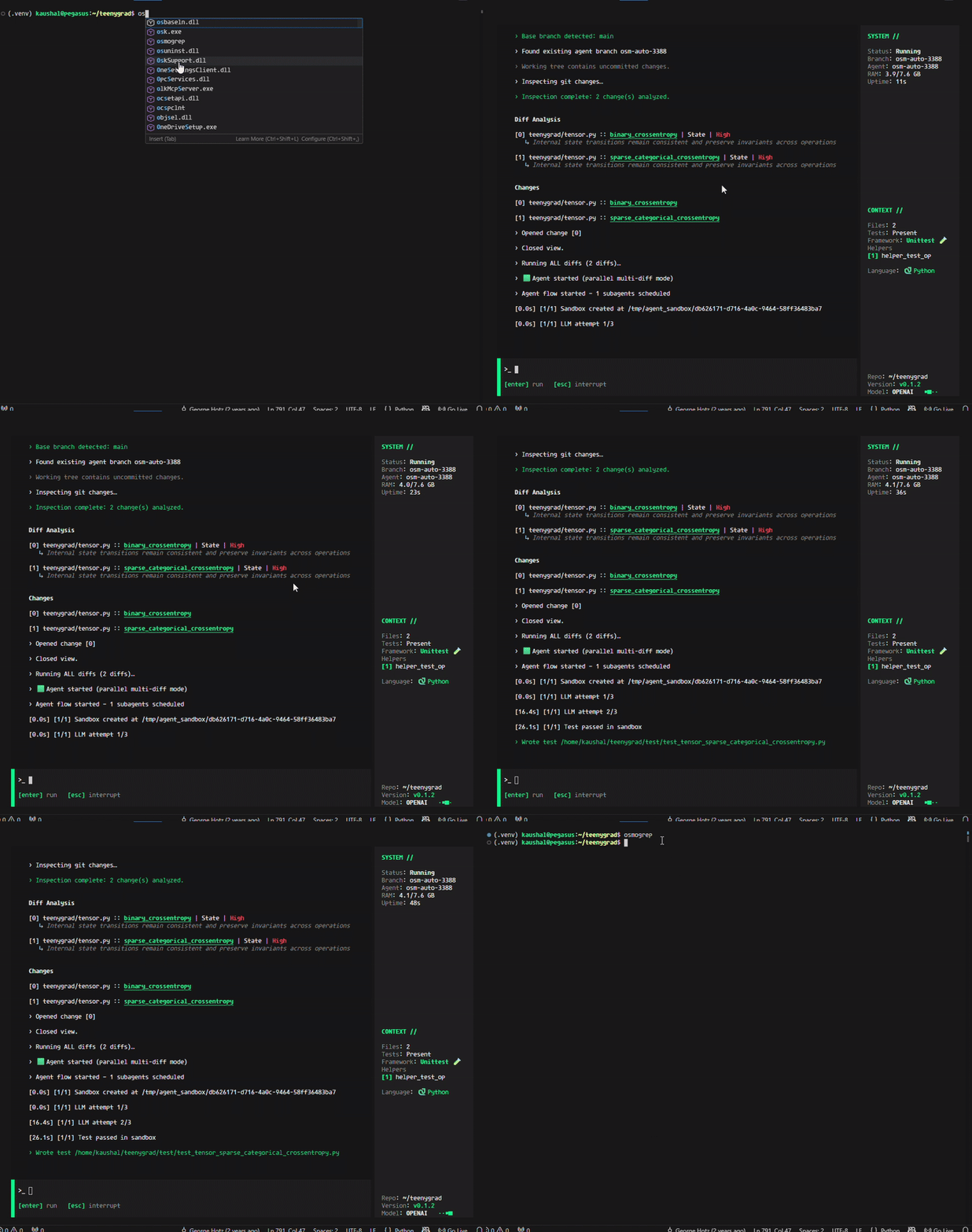
Osmogrep in action

Osmogrep Features

Runtime Engine Features

  • Interactive agent loop with streaming terminal output
  • Shell execution via `!` commands inside the session
  • Slash controls like `/help`, `/clear`, and `/quit`
  • Runtime trace inspection with risk surfacing
  • Patch suggestions with test-and-verify flow
  • Stress-style validation loops for reliability checks

Platform Features

  • Hosted web workspace for browser-based runtime sessions
  • Team projects with shared execution history
  • Pull request risk summaries and change tracking
  • Parallel execution controls for larger repos
  • Enterprise deployment options and private environments
  • Custom integration hooks for internal tooling

How Sessions Work

Osmogrep is interactive by default. You can chat with the agent, run shell commands with a `!` prefix, and use slash commands for controls. Every tool call and output stream is visible in the same session.

Type Instructions

Ask for code changes, debugging, test generation, or runtime investigations in plain language.

Run Shell with `!`

Execute commands like `!git status` or `!cargo test` directly without leaving the interface.

Control with `/`

Use commands such as `/help`, `/clear`, and `/quit` to manage session flow and output.